Educational content only. Not medical, therapeutic, or health services. Seattle, United States.
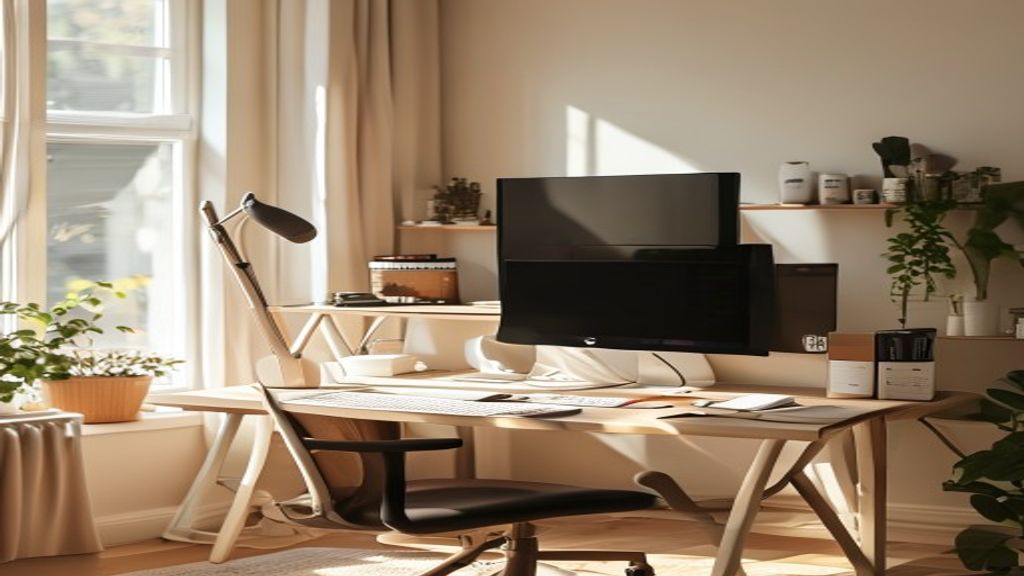
A well-organized home office with monitor at eye level, proper chair height, and natural lighting
Workspace Optimization

Your Complete Setup Guide

Learn the specific adjustments that transform an uncomfortable desk into an aligned workspace. This comprehensive guide covers every element.

The Five Core Adjustments

These adjustments form the foundation of ergonomic workspace design.

1

Monitor Position

Distance: Arm's length away (approximately 20–28 inches). Height: Top of screen at or slightly below eye level. Angle: Slight downward angle (15–20 degrees from horizontal). This reduces neck strain and supports neutral head posture.

2

Keyboard & Mouse

Height: Elbows at 90 degrees, wrists neutral. Position: Directly in front, within easy reach. Angle: Slightly negative tilt reduces wrist extension. Ergonomic keyboards and vertical mice are optional—proper position matters most.

3

Chair Support

Seat Height: Feet flat on floor, hips level with knees. Backrest: Supports your lumbar curve. Armrests: Elbows at 90 degrees. Many affordable chairs work well—focus on adjustability.

4

Desk Height

Standard: 28–30 inches. Adjustment: Your elbows should be at 90 degrees when sitting. Too high increases shoulder tension; too low rounds your back. Stack books or use a desk riser if needed.

5

Lighting & Environment

Screen Glare: Position to minimize reflections. General Light: Bright enough to see clearly without eye strain. Temperature: Comfortable range supports focus. Noise: Manage distractions to maintain awareness.

Side view showing proper monitor eye level positioning for neutral neck alignment

Monitor Positioning Matters Most

The monitor is your primary point of focus and the biggest determinant of head and neck position. This single adjustment often reduces tension dramatically.

  • Top of screen at eye level when sitting upright
  • Arm's length distance (roughly 24 inches for most people)
  • Straight ahead or slight downward angle
  • No twisting to see screen edges
  • Use books or a monitor arm for proper height

Setup by Workspace Type

Different work environments present unique challenges. Here's how to adapt.

Workspace Type Primary Challenge Quick Fixes
Traditional Office Desk Fixed furniture, standardized heights Desk riser, monitor arm, lumbar pillow, footrest
Home Office Often improvised with dining/bedroom furniture Proper chair, adjustable desk (or stacked books), monitor stand
Hot Desk / Shared Space Cannot adjust furniture, different setup daily Portable monitor stand, external keyboard, awareness practices
Standing Desk Extended standing without movement Anti-fatigue mat, sit-stand schedule, frequent position changes
Laptop-Only Work Screen too low, keyboard not separate External monitor + keyboard, laptop stand, awareness of neck position

Low-Cost Adjustments You Can Make Today

You don't need expensive equipment. These simple solutions work.

Monitor Height

Stack 2–4 books under monitor base. Total cost: $0 (repurpose books you have).

Desk Height

Add shims or riser blocks under desk legs. Cost: $5–15 for adjustable risers.

Keyboard Position

Use a small stand or even an upside-down book to angle keyboard slightly downward.

Lumbar Support

Roll a small towel and place behind your lower back. Free, easy to adjust.

Footrest

Use a small box or stool to rest feet if they don't touch the floor. Cost: $0–10.

Anti-Glare

Adjust window blinds or reposition desk to reduce screen reflections. Free.

Assessment Checklist

Use this checklist to evaluate your current setup.

Sitting Position

  • Feet flat on floor
  • Knees at 90 degrees
  • Back supported by chair
  • Shoulders relaxed, not elevated
  • Head neutral (not forward)

Monitor & Screen

  • Top of screen at eye level
  • Arm's length distance away
  • No glare on screen
  • Looking slightly downward (not up)
  • Monitor arm's length from eyes

Input Devices

  • Keyboard at elbow height
  • Wrists neutral (not bent)
  • Mouse close to keyboard
  • Slight negative tilt on keyboard
  • Forearms parallel to ground

Environment

  • Adequate overall lighting
  • Comfortable room temperature
  • Minimal distractions
  • Space to stretch and move
  • Water bottle nearby

Ready to Optimize Your Workspace?

Start with a simple assessment of your current setup using our checklist above. Then reach out—we can provide personalized guidance for your specific situation.

Get Guidance